
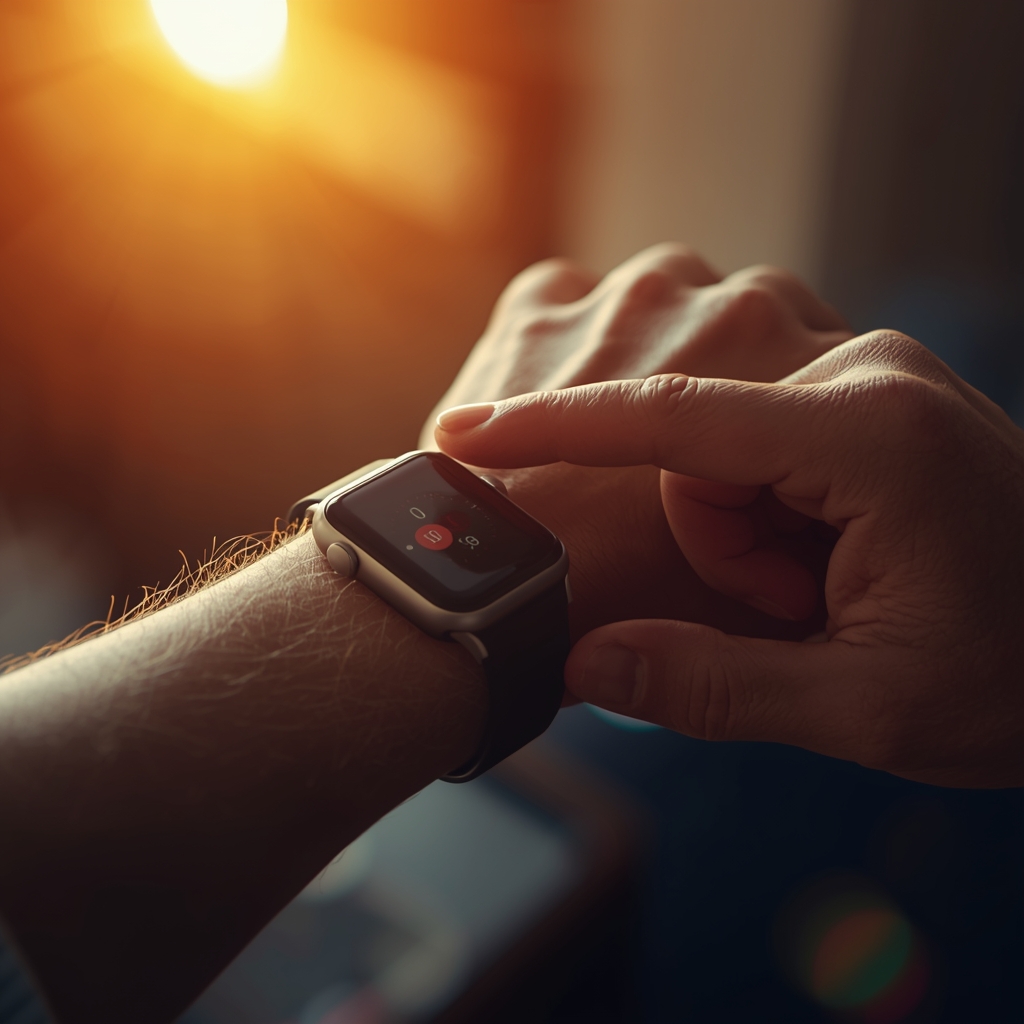
The Xiaomi Mi Band 9 is the single most-recommended wearable for elderly safety in 2026 — not because it's the fanciest, but because it works. Costs €40. Lasts 21 days per charge. Looks like a regular fitness band, not a medical device. This guide walks through the exact setup that turns it into a useful safety net for an elderly parent.
- 1 × Xiaomi Mi Band 9 (€40 from Xiaomi store or Amazon)
- The elderly person's Android phone (Android 8 or newer)
- Your own Android phone (for receiving alerts)
- About 45 minutes for the first-time setup
- Optional: AlvoTriX (free app + module subscription) for family SMS alerts
Why Mi Band 9 specifically
Over the past 12 months, we've tested Mi Band 8, Mi Band 9, Galaxy Watch 4-6, Pixel Watch 2, Amazfit GTR 4, and several budget options. For the specific use case of an elderly parent who lives alone, the Mi Band 9 wins on the criteria that actually matter.
- Battery: 21 days per charge under normal use. Charging routine becomes "every third Sunday" — predictable, easy to remember. Apple Watch and Galaxy Watch need daily charging, which is the #1 reason elderly users abandon a device.
- Look: indistinguishable from a regular fitness band. No "I've fallen and can't get up" stigma.
- Comfort: 27 grams. Most parents forget they're wearing it within a day.
- Sensors: heart rate (PPG), accelerometer, gyroscope, SpO2. All the inputs fall detection algorithms need.
- Compatibility: works with any Android phone 8+ via Mi Fitness app + Health Connect. Confirmed in our 82-device database.
- Price: €40. If it gets lost, scratched, or rejected after a week, the financial sting is small.
The two parts of "safety setup"
To get safety alerts to your phone, two things need to happen:
- The band must be configured correctly on the elderly parent's phone — Mi Fitness app, Health Connect permissions, continuous heart rate monitoring enabled.
- A safety platform must read that data — either Samsung Health (limited to one watch family), Google Personal Safety (limited), or a third-party safety app like AlvoTriX that supports the Mi Band.
This guide covers both. We'll do the band first (works regardless of safety platform), then add AlvoTriX as the family alert layer.
Part 1 — Band setup (15 minutes)
Step 1: Unbox and charge
The band ships partly charged but bring it to 100% before setup. Use the included charging clip on a USB port. Full charge takes about 1 hour.
Step 2: Install Mi Fitness app on the parent's phone
On the elderly parent's phone (their own, not yours), open Google Play Store and install Mi Fitness by Xiaomi. Skip the older "Mi Band" or "Zepp Life" apps — they're for older bands.
Create an account using the parent's email. Use a simple password and save it in your password manager — you may need to log in again during a future phone swap.
Step 3: Pair the band
In Mi Fitness, tap Add device → Watches/bands → Mi Smart Band 9. Hold the band near the phone. The band screen will show a QR code; the app scans it automatically. Accept Bluetooth pairing on the phone.
Tip: if the band already shows the time in Chinese or has a different language set, change it now: in Mi Fitness → Profile → System → Language → set to English / German / Romanian / etc.
Step 4: Enable the critical permissions
This is the step most setup guides skip. The band needs these permissions to share data with safety apps:
- Location (Always allowed) — for GPS in alerts. Phone Settings → Apps → Mi Fitness → Permissions → Location → Always allow.
- Background activity allowed — Mi Fitness must run in the background to sync data. Phone Settings → Apps → Mi Fitness → Battery → set to "Unrestricted" or "No restrictions."
- Bluetooth — must be on at all times.
- Health Connect — install Health Connect by Android from Play Store if not already there. Open it, accept permissions, then in Mi Fitness → Profile → Privacy → Health Connect → allow sharing of: Heart Rate, Steps, Sleep, Exercise.
Step 5: Enable continuous heart rate
This is the second most-skipped step. By default, the band measures heart rate only on demand. For safety detection, it needs to measure continuously.
In Mi Fitness → Mi Smart Band 9 → Health monitoring → Continuous heart rate → set to "All day" with detection frequency "Every 1 minute" if available. (Higher frequencies use more battery — 1 minute is the sweet spot for safety, still 21+ days of battery life.)
Also enable: Sleep monitoring, SpO2 measurement during sleep, and Stress monitoring if shown.
Step 6: Set the band on the wrist
Snug, but not tight. Two-finger-width above the wrist bone, on the non-dominant arm. The optical sensor needs to make contact with skin — if there's a gap, heart rate measurements will be erratic.
For thinner wrists (some elderly users have lost wrist muscle), the included strap can sometimes be too loose at the smallest setting. Buy a "kids size" strap for €5-8 if needed.
Part 2 — Adding family alerts (15-30 minutes)
With the band running, you now have data flowing. But it stays on the parent's phone. To get alerts on YOUR phone — fall detection, panic button, prolonged inactivity — you need a safety platform.
Option A — Samsung Health
If the parent uses a Samsung phone, Samsung Health can read Mi Band data via Health Connect. It has built-in alert features but they're limited: only the parent sees alerts unless you specifically link family members through SmartThings, which is complicated.
Use this option only if: you want a free, basic setup and you're OK checking in by calling once a day.
Option B — Google Personal Safety
Works on most Android phones. Better for "I fell" emergency button than for continuous monitoring. Alerts go to designated emergency contacts.
Use this option only if: you want a free, basic setup and the parent is willing to press a button when something happens (most won't).
Option C — AlvoTriX (recommended for serious use)
This is the option this guide is opinionated about. AlvoTriX is a phone-based app that reads Mi Band data and runs ten detection modules (fall, panic, geofence, sleep anomaly, prolonged inactivity, heart rate guardian, special needs, anti-bullying, health crisis). When something triggers, it sends an SMS to your phone with GPS coordinates.
Disclosure: we built AlvoTriX. We're recommending it because it's the setup our family uses for my grandmother. But honestly, if Samsung Health or Google Safety fit your situation, use those — they're free.
Setting up AlvoTriX with Mi Band 9
- Choose your protection at alvotrix.com/#modules. The app is free; you subscribe to your chosen module (€7.90 to €72.90 per month). For most elderly use cases: Fall Detector + Panic = €29.80/month with 20% bundle discount = €23.84/month.
- Install AlvoTriX on the parent's phone (the Android phone, same one the Mi Band is paired to). Activate with the license key from the welcome email.
- Add emergency contacts — your phone number, plus 1-2 backups. These get the SMS when something triggers.
- Pick the wearable — Mi Band 9 from the supported devices list. AlvoTriX uses Health Connect to read the band data.
- Tune sensitivity in the first week — most defaults work, but adjust if you get false alarms during normal activity.
- Test the panic button with the parent. They can trigger an SMS to your phone by holding the band sensor (or by a specific motion gesture, configurable).
What you can monitor with this setup
| Signal | Mi Band 9 | Use case |
|---|---|---|
| Fall | ✅ via accelerometer | SMS to family with GPS |
| Panic SOS | ✅ via long-press | Manual emergency button |
| Prolonged inactivity | ✅ via accelerometer | "No movement 2+ hours" alert |
| Heart rate anomaly | ✅ via PPG | Tachycardia/bradycardia alerts |
| GPS geofence | ⚠️ via paired phone GPS | "Left safe zone" alert (needs phone with them) |
| Sleep anomaly | ✅ via PPG + accelerometer | Apnea / unusual nighttime events |
What the Mi Band 9 cannot do: standalone GPS (it has no GPS chip — depends on the paired phone), automatic emergency calling (no cellular SIM in the band itself), ECG (no electrical sensor).
Common problems and fixes
Problem: Band disconnects from phone after a few hours
Cause: phone is killing Mi Fitness in the background to save battery. Fix: phone Settings → Apps → Mi Fitness → Battery → Unrestricted. Also disable any "auto-optimize" battery feature on the parent's phone for Mi Fitness specifically.
Problem: Heart rate readings missing or erratic
Cause: band too loose, or sensor obstructed by sleeve. Fix: tighten strap, wear band a bit higher on wrist (above the bony part).
Problem: False fall alarms during gardening or vigorous housework
Cause: detection sensitivity too high. Fix: in AlvoTriX → Fall Detector module → Sensitivity → lower by one notch. False alarm rate should drop to under 1 per week.
Problem: Battery drains in 4 days instead of 21
Cause: most common — "Continuous heart rate" set to "Smart" or "Every 1 second" instead of "Every 1 minute." Fix: Mi Fitness → Mi Smart Band 9 → Heart rate → Frequency → Every 1 minute.
Problem: Band not showing notifications from phone
Not relevant for safety monitoring (band → phone direction works regardless). For phone notifications → band, enable in Mi Fitness → Notifications, then per app.
Maintenance routine
What the elderly parent needs to do:
- Wear the band. That's it. The 21-day battery means they don't have to think about anything else.
- Every 3 weeks: charge the band overnight. Set a recurring reminder if helpful.
What you (the adult child) need to do:
- Weekly check: log into AlvoTriX or Mi Fitness to verify data is syncing. Takes 30 seconds.
- Monthly review: any false alarms? Adjust sensitivity if needed.
- If the parent's phone is upgraded: re-pair the band on the new phone. Allow 15 minutes.
Cost summary
| Item | Cost |
|---|---|
| Mi Band 9 | €40 one-time |
| Smaller strap (if needed) | €5-8 one-time |
| AlvoTriX app | Free — subscription per module |
| Fall + Panic bundle | €23.84/month (after 20% bundle discount) |
| 3-year total | €963 |
Compare to a typical medical alert pendant service: €100 setup + €35/month = €1,360 over 3 years, without the data trends and without bring-your-own-wearable flexibility. Run your own numbers in our calculator.
The honest bottom line
For under €50 of hardware, the Mi Band 9 turns into a real safety device. The setup takes 45 minutes once. After that, the parent forgets they're wearing it, and you get peace of mind. That's a fair trade for both sides.
If your parent already owns a different wearable, check our 82-device compatibility database first. The Mi Band 9 is our recommendation when starting from scratch, but a Galaxy Watch they already love is a better choice than forcing a switch.
Disclaimer: AlvoTriX is not a medical device. The Mi Band 9 is a consumer fitness band, not a medical instrument. Sensor accuracy varies and these devices should not be relied upon as the sole safety system for high-risk situations. Always pair wearable monitoring with a family response plan and dial local emergency services in any life-threatening situation. Mi Band, Xiaomi, Samsung, Google, Apple, Fitbit, and Garmin are trademarks of their respective owners.